
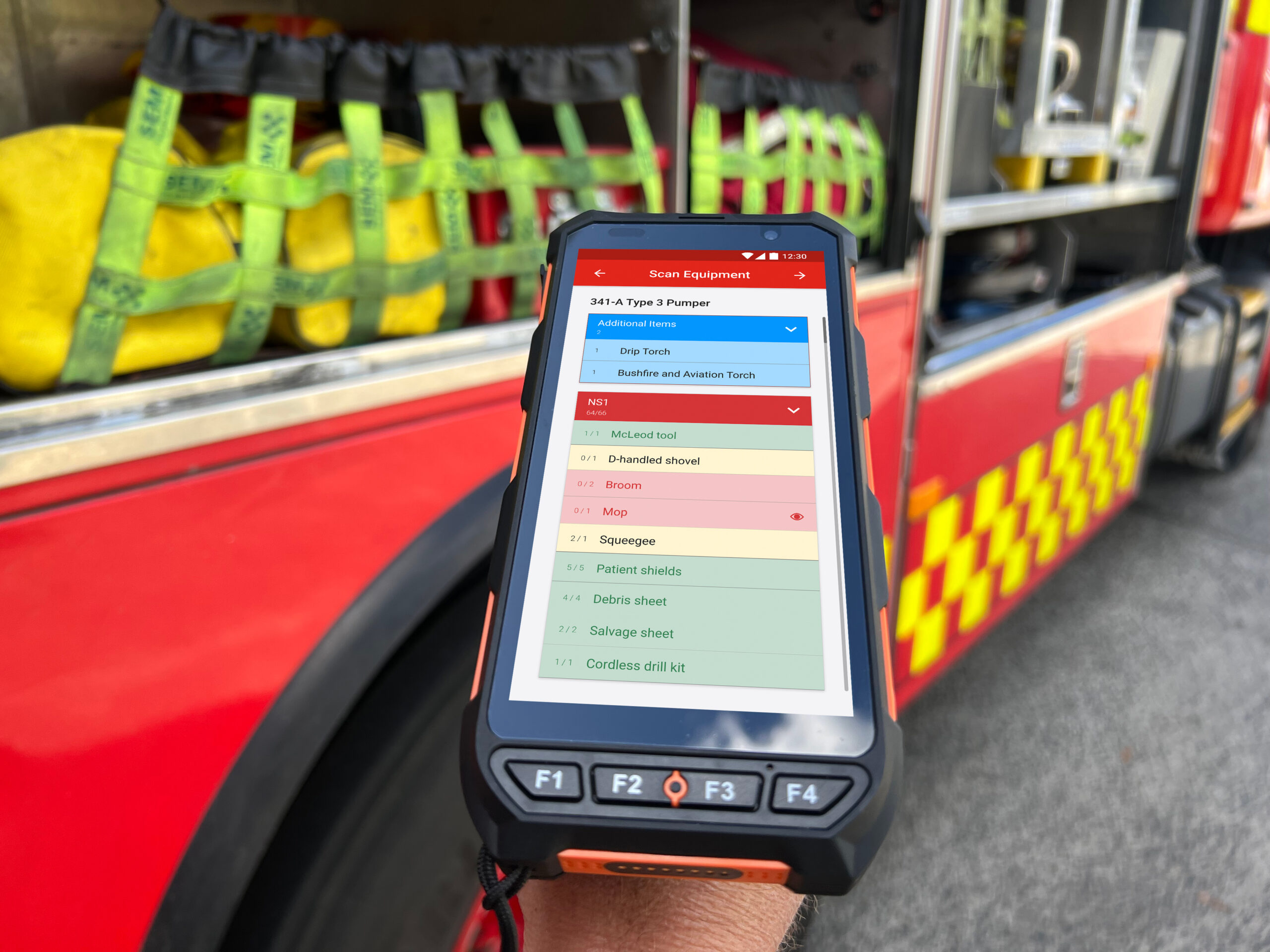
How a need for first responders to regain time, and streamline the activities associated with managing and maintaining equipment sparked an idea that resonates across the emergency services sector.
Why is this so hard?
This is a story that repeats itself in many industries: why are the apps and cool new digital solutions I now gravitate to in my personal life so much better than what we’re provided with in the workplace?
In my case it wasn’t complicated. Monthly maintenance checks on RFS appliances at the station. Sounds pretty simple. But everything is paper on clipboards! Teams of two take their copies away, comments and findings are scratchings at best, there is no simple way to reconcile the various inputs or store it for future reference, nor refer back to the last check if needed.
Now don’t get me wrong. I love my life in the RFS, I’ve built disciplines, skills and friendships that I value highly, and everything from the leadership to the community backing is truly uplifting. But in my business life I’m the leader of a tech company, OneBlink, and our tools and systems allow non-developers to quickly create their own digital forms and apps to digitise their paper-based processes.
So knowing what could be, versus what remained common practice, became personal and an itch that I couldn’t help but scratch.
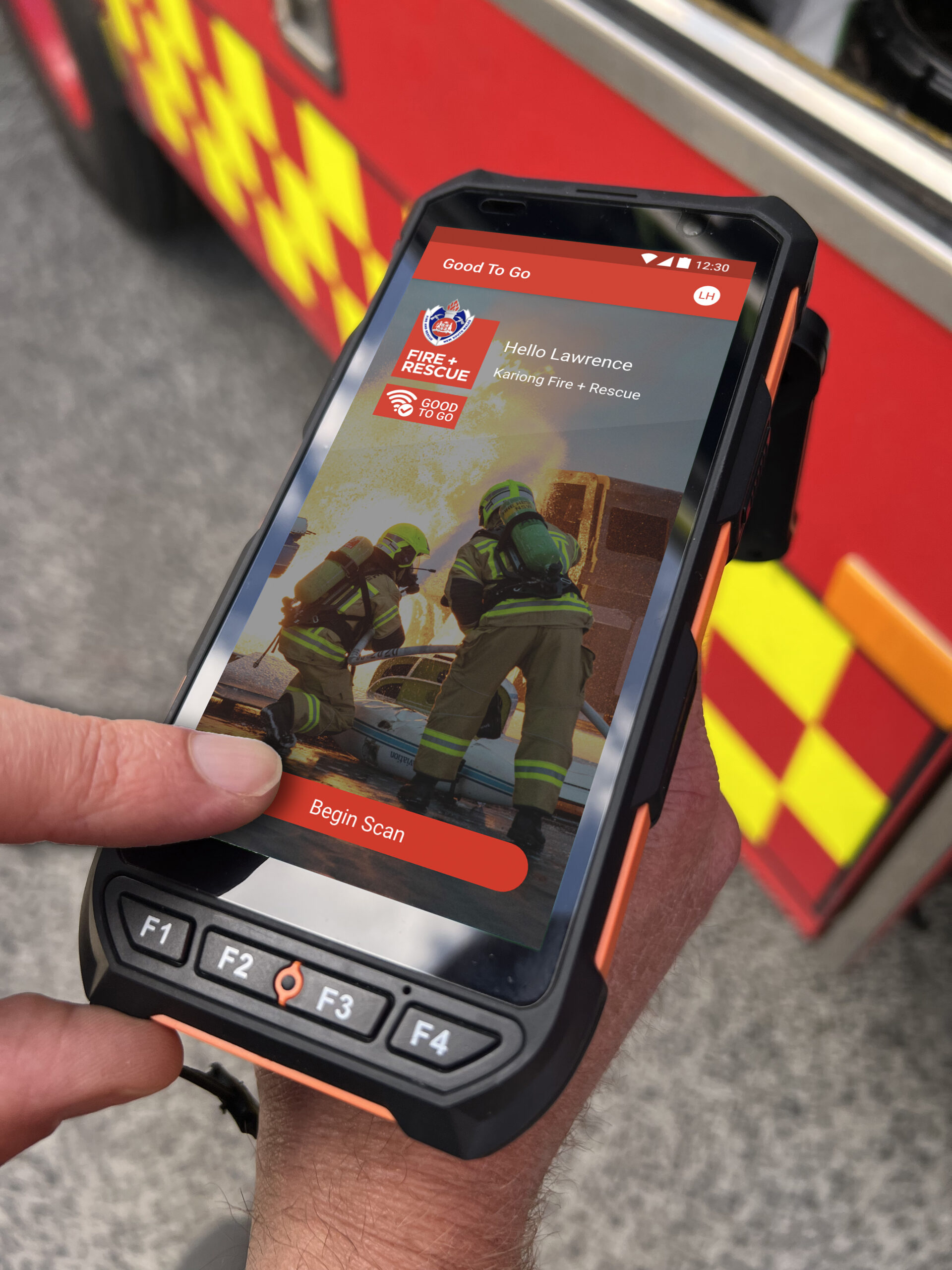
And once I started scratching, all manner of opportunities started to present themselves. A year or two earlier my business partner Alan Williams showed me a prototype of a ‘what’s missing from my kit’ application that his start-up company, Spotto, had worked on. He showed a simple scan of a first-aid kit, with RFID tags on each item, that identified the missing items compared to the master list. Idea! Why couldn’t we do the same with our appliances? Could we use the same sort of technology to quickly check that we had everything, and really were ‘good to go’?
Especially when you get back from a call-out in the early hours, and as much as home and bed beckons, the priority is to check and restock that appliance. Even better, how about I check it before I leave the incident to figure out what equipment has become swapped between crews on scene?
I stored that thought away, we had lots of other things to do with our businesses, but it would make sense to give that idea a go sometime.
OneBlink and Spotto are Good To Go
Alan expanded the original Spotto idea to deal with all manner of asset visibility. Utilising asset tags and readers it is a way to reduce the time people waste locating equipment, by making it simple to search and find where things are.
So when I started thinking about our appliance and equipment checks, the penny dropped that we already had a clear head start on how to answer three problems…
- Is everything that should be on this vehicle actually here right now?
- Has everything been checked and is working?
- Where will I find things that I need right away?

Turning ‘Good To Go’ into a reality
With the seed planted late in 2022, we began investigating how to develop a suite of ‘readiness’ solutions that could be applied to a wide range of organisations. We began with asset visibility (as that was my personal 3am bugbear) and we quickly identified the working components needed to address the problem domain:
- various RFID tags, durable enough to withstand heavy usage, heat, water, chemicals
- an admin interface to create a manifest log for an appliance
- a device to scan the RFID tags
- an app for the device to both record scans and compare to a manifest, and
- a dashboard to view historical scan data.
We role-played the solution at my RFS station, me scanning an appliance, finding something missing and typically what you would do to remediate.
We sourced multiple variations of RFID tags (for a wide array of surfaces and conditions). We also settled on a pistol grip rugged style reader that was extremely good value. Then came the early iterations of the scanner app with a user interface that worked for firefighters, along with dashboards for station/district commanders.
And, when we were all done, we had the foundation of what was to become Good To Go ‘Ready’.
In a case of ‘good luck over good planning’, this proof of concept was very timely as it served as the basis for a submission to the NSW Office of Chief Scientist and Engineer (OSCE) Bushfire Response Mission called the Bushfire Technology Pilot Program (BTPP).

Bushfire Technology Pilot Program (BTPP) Phase 1
So we applied as a joint venture between OneBlink and Spotto.
We had the earlier app mock-ups, the working hardware elements and the idea of improving first-responder readiness, all rolled up in a video of me scanning equipment on a Cat 1.
We were surprised to get the thumbs up but could launch straight into the six-month build – spending time between FRNSW’s training academy, Kariong and Umina Fire Stations and NPWS. This time was primarily refining the concept and proving with firefighters and their appliances that it would work.
But, while Good To Go ‘Ready’ perfectly addressed the issue of ‘Is my truck complete, do I have everything?’, this positive and proactive engagement with the various agencies identified more areas and more opportunities that Good To Go as a joint venture could address. Agency needs such as ‘Have we checked everything works’ and ‘Who’s seen the…?’ and ‘Where are the closest…?’.
The next round
Addressing the problem of ‘Have we checked that everything works’ is right in OneBlink’s wheelhouse and was met with excitement from the parties that sponsored our Phase 1.
Phase 2 saw Good To Go ‘Ready’ scans and location data being loaded into an SAP Enterprise Asset Management System, as well as digitising FRNSW’s long-standing (and paper-based) SIMS or operational equipment checks (what became Good To Go ‘Inspex’).
The Inspex equipment checks took me right back to another of my pet frustrations. So it was super satisfying when the team quickly built a system that easily uploaded equipment lists, provided the mechanism to set an inspection schedule for every item and customise the type of check required. Even more exciting were the issue reporting forms, also customisable for each item that captured comments and photos, provided a workflow for approval sign-offs and automatic routing for fulfilment.
This was a game changer: a simple app to see when equipment checks had been done, or what was overdue, what had been reported last time, what remedy had been requested and whether it had been actioned, with everything on your phone and able to be worked upon by multiple teams at the same time, and even save drafts while you respond to an incident and complete it upon your return.

The next round
As the Phase 2 BTPP project draws to a close, we’re starting some real implementations of Good To Go and that’s opened up dialogue on the third offering ‘Locate’. Locate suits major logistics and operations centres as they maintain their own readiness to respond to larger incidents.
Using a combination of BLE (Bluetooth) tags and readers, agencies have a real-time view of their major assets, providing answers to questions like ‘What are the six closest mobile lighting towers I can send to this incident?’, ‘How many tent kits can I send tomorrow for a base camp?’ or ‘Where are the closest slip-on kits to add to appliance bodies?’
Following our product launch at AFAC23, many other first-responder agencies are looking at how they can use some or all of Ready, Inspex and Locate to solve many of their long-running equipment visibility/transport/operational issues. The enthusiasm of operations-oriented professionals is clear – having a better fix on readiness makes a significant difference to efficiency, safety and, not to be dismissed, firefighter wellbeing.
